 ReceiptBook
Receipt scanner & expense tracker for Android
Every receipt, read and filed. On your phone.
Snap a receipt and ReceiptBook fills in the merchant, date and total for you. Match it to your bank statement, see where the money went, and hand your accountant a clean report. No account, and your receipts are never uploaded.
Free, with ads. Android 7.0 or newer.
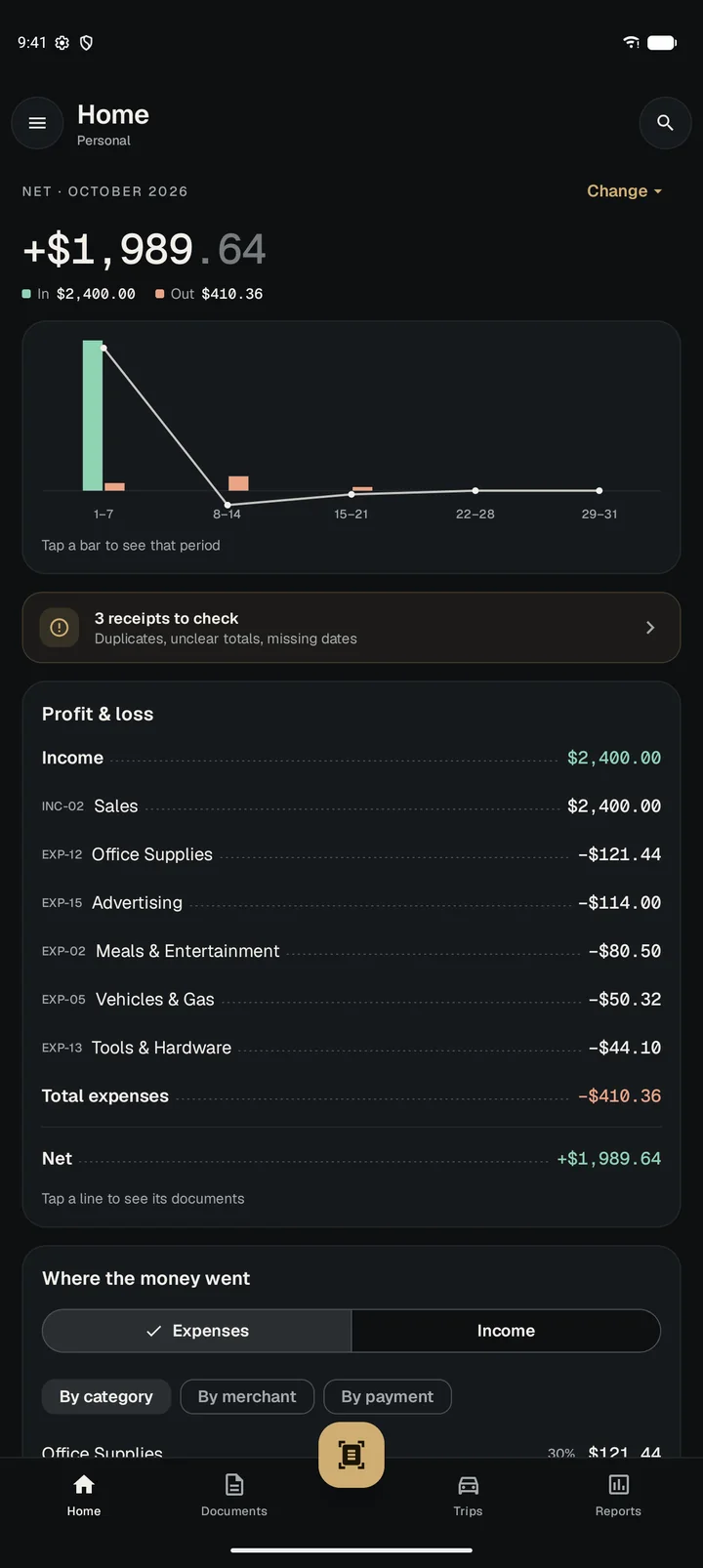
- No account to create
- Stays on your phone, never uploaded
- Works offline
- CSV, Excel, PDF, QuickBooks & Xero
How it works
From a crumpled receipt to a finished report in four steps
These are real screens from the app, with example receipts from a small design studio.
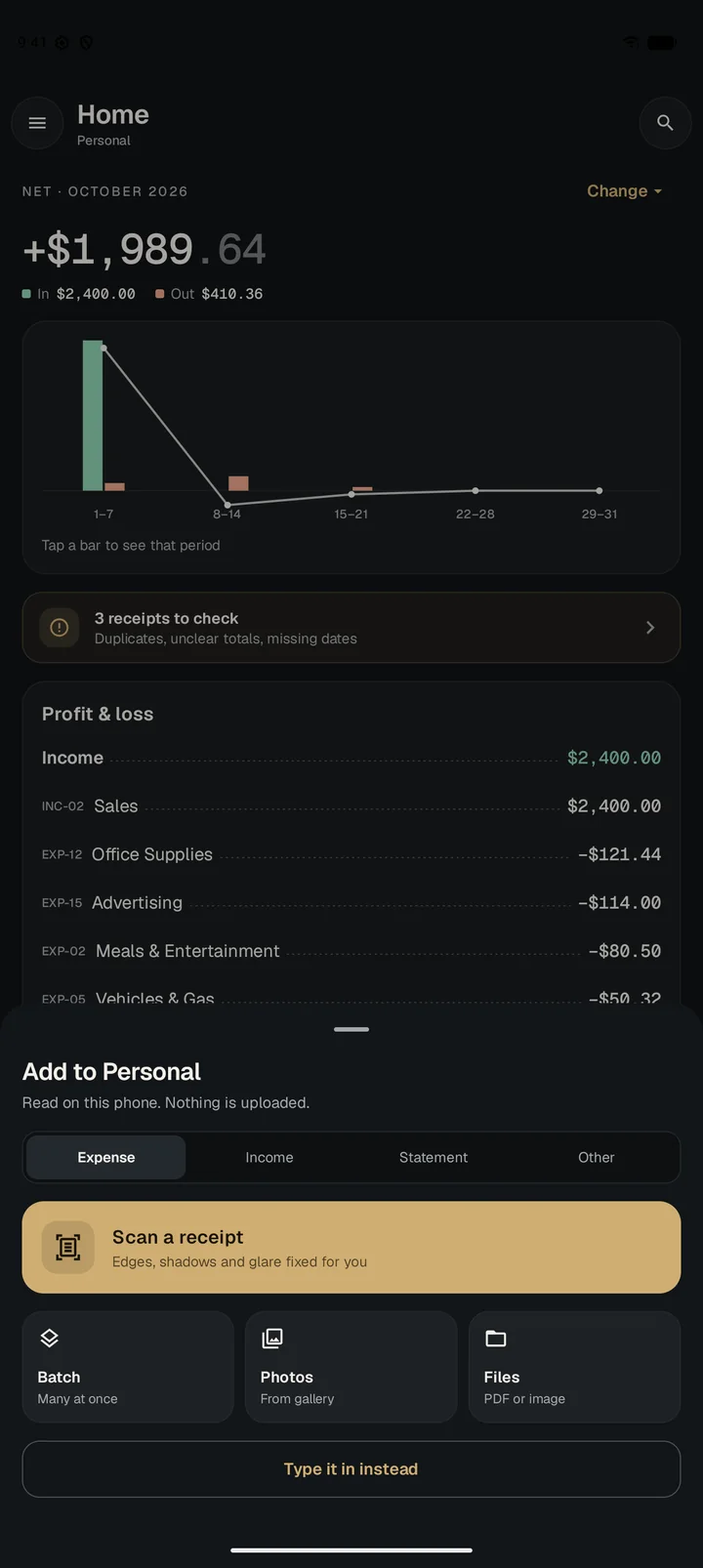
Snap it, or bring it in
Tap the scan button and point at the receipt. The scanner finds the edges and fixes shadows and glare.
- Scan a whole stack in one go with Batch
- Add photos from your gallery, or PDFs and invoices from your files
- Share a receipt from email or WhatsApp straight into the app
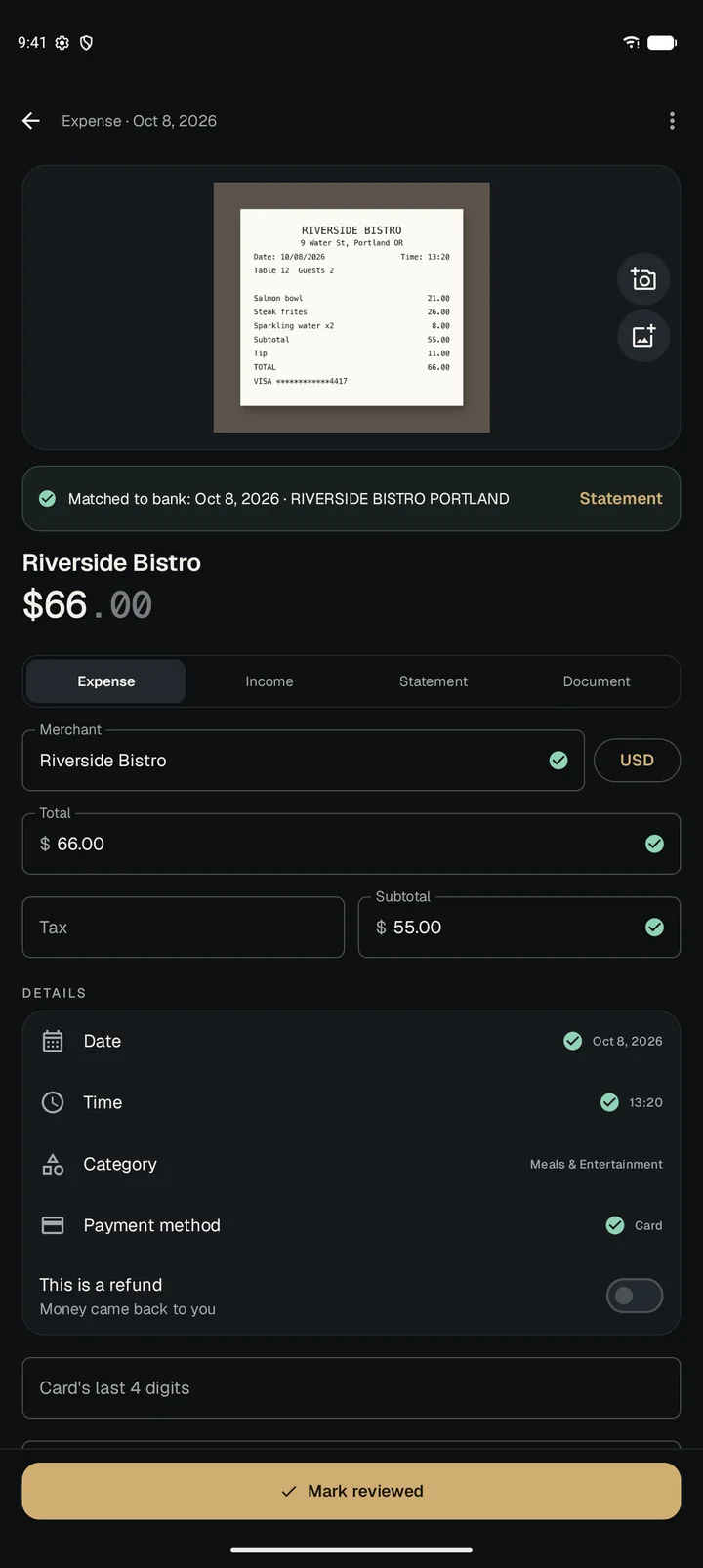
It reads the receipt for you
ReceiptBook reads the text on your phone and fills in the merchant, total, subtotal, date, time, payment card and invoice number. Each field it read gets a green tick.
- Unclear totals, missing dates and duplicates are flagged for a quick check
- It remembers your categories for each merchant
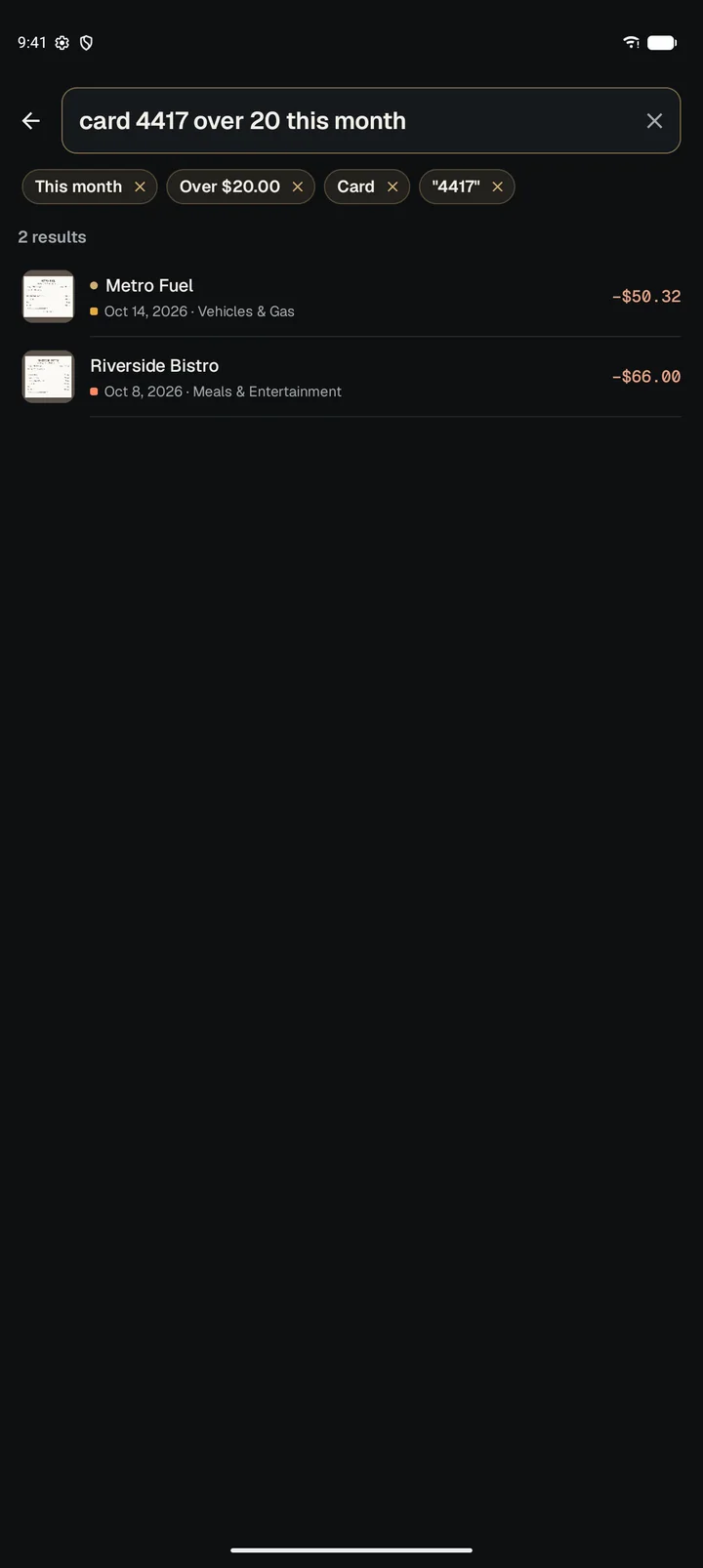
- Every word on the receipt becomes searchable
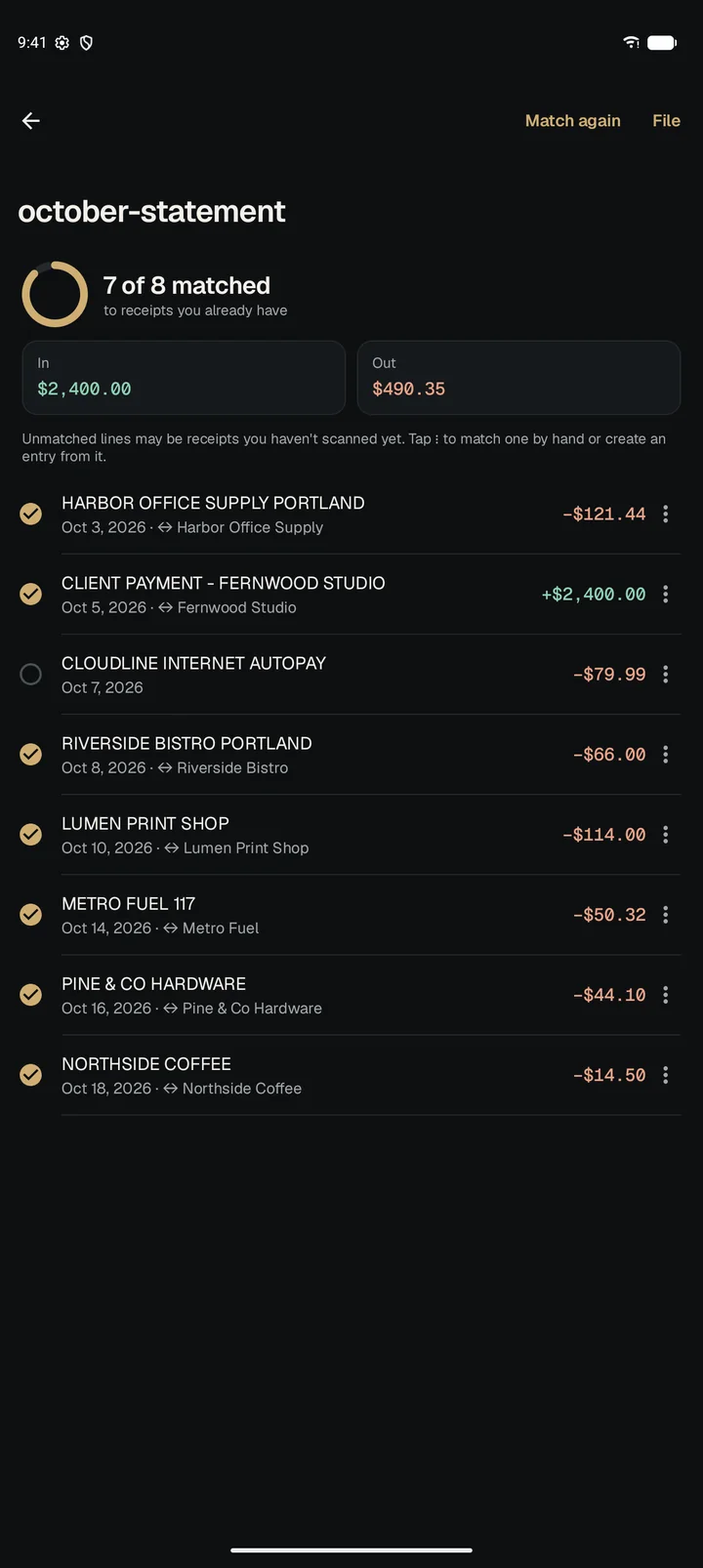
Match it to your bank statement
Import the statement your bank gives you, as CSV, Excel or PDF. ReceiptBook pairs each line with its receipt, so you can see at a glance which ones are missing.
- 7 of 8 lines matched automatically in this example
- Match the rest by hand, or create an entry from a bank line
Send a report your accountant can use
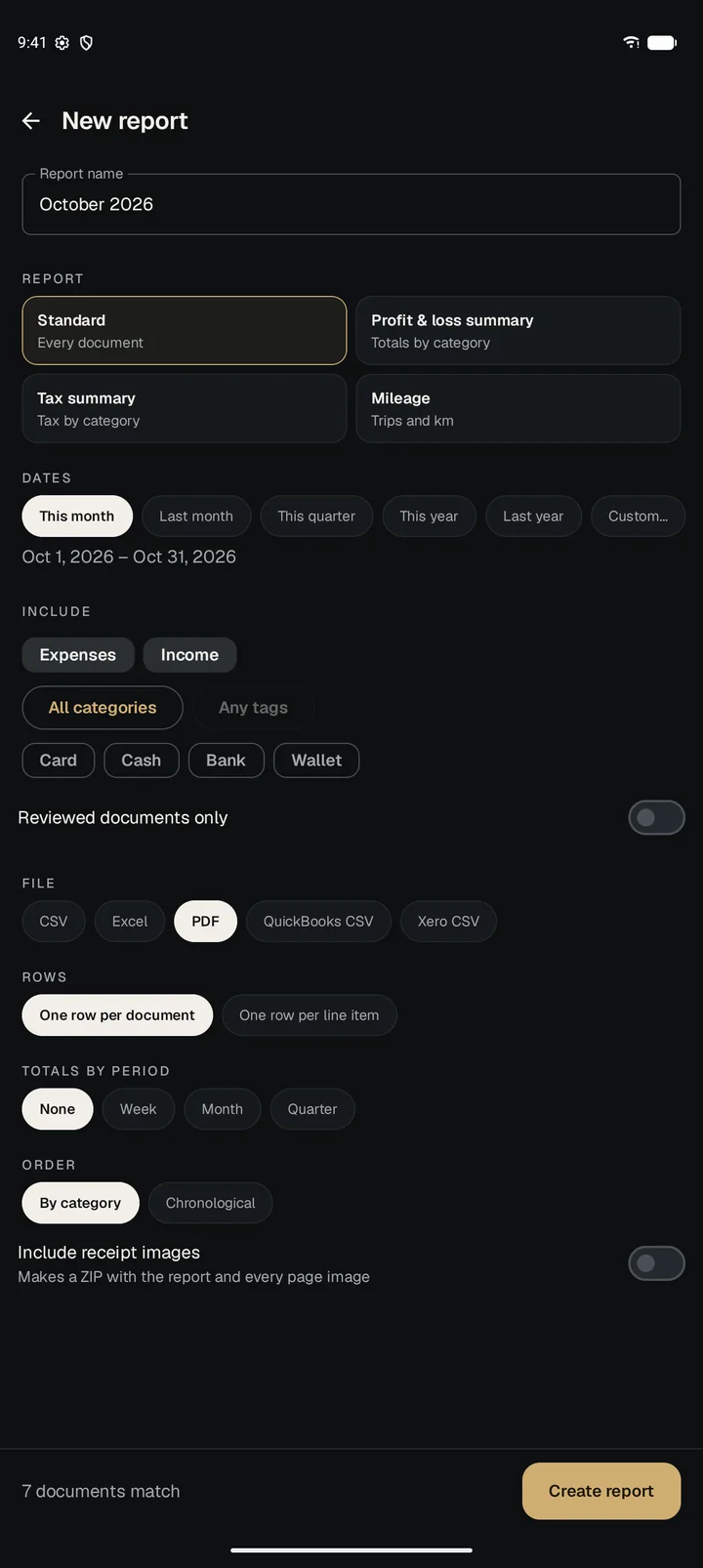
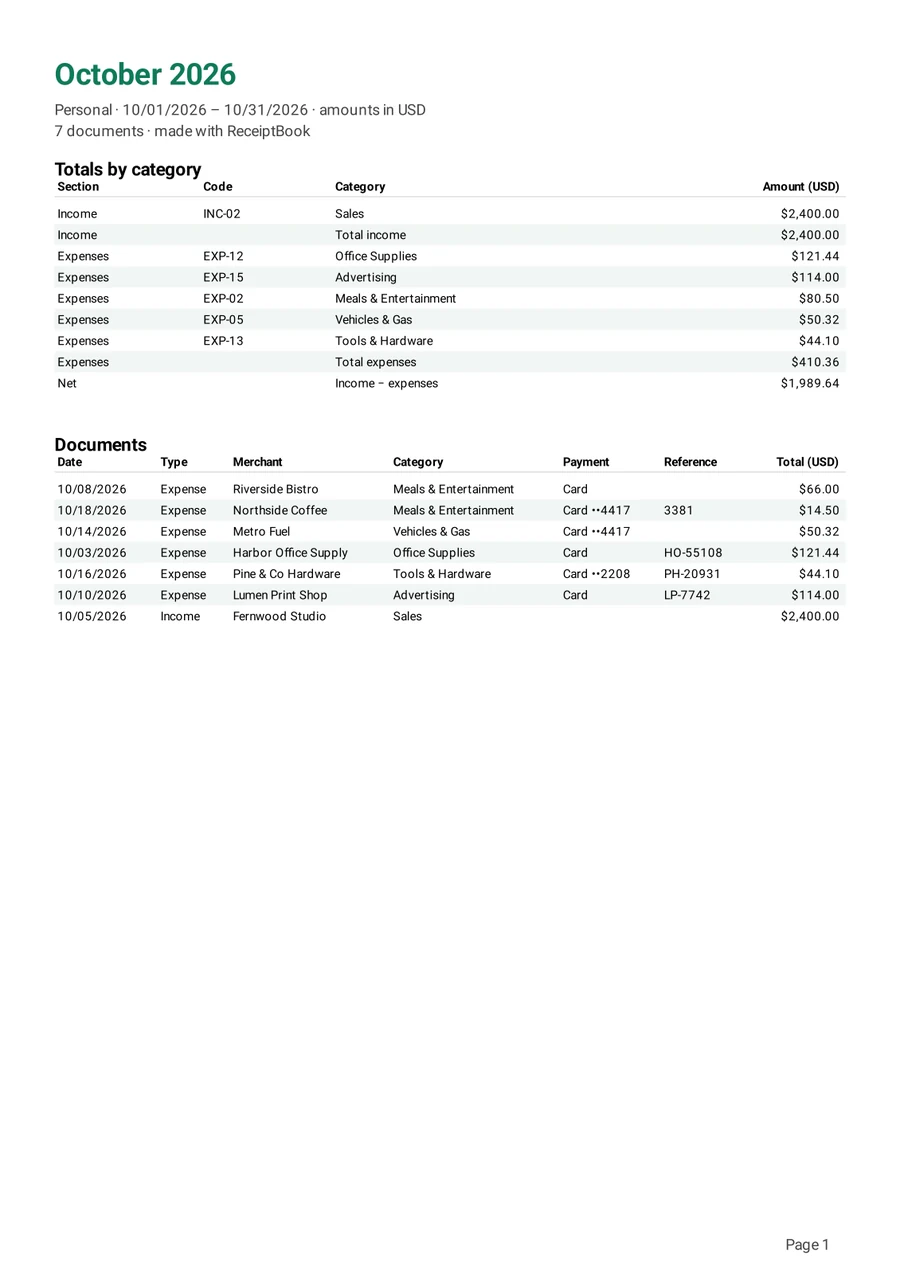
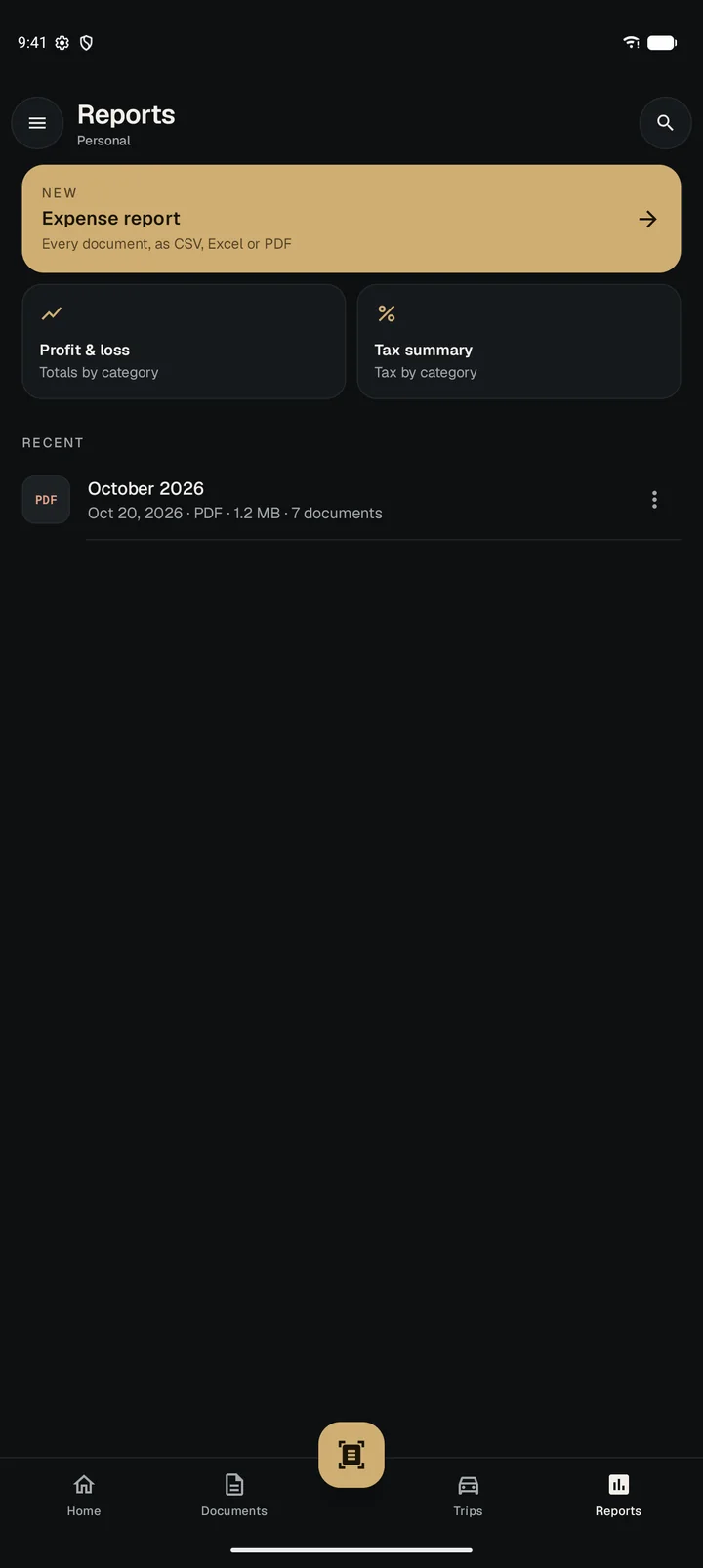
Pick a period and a format. ReceiptBook builds the report on your phone and you share it however you like.
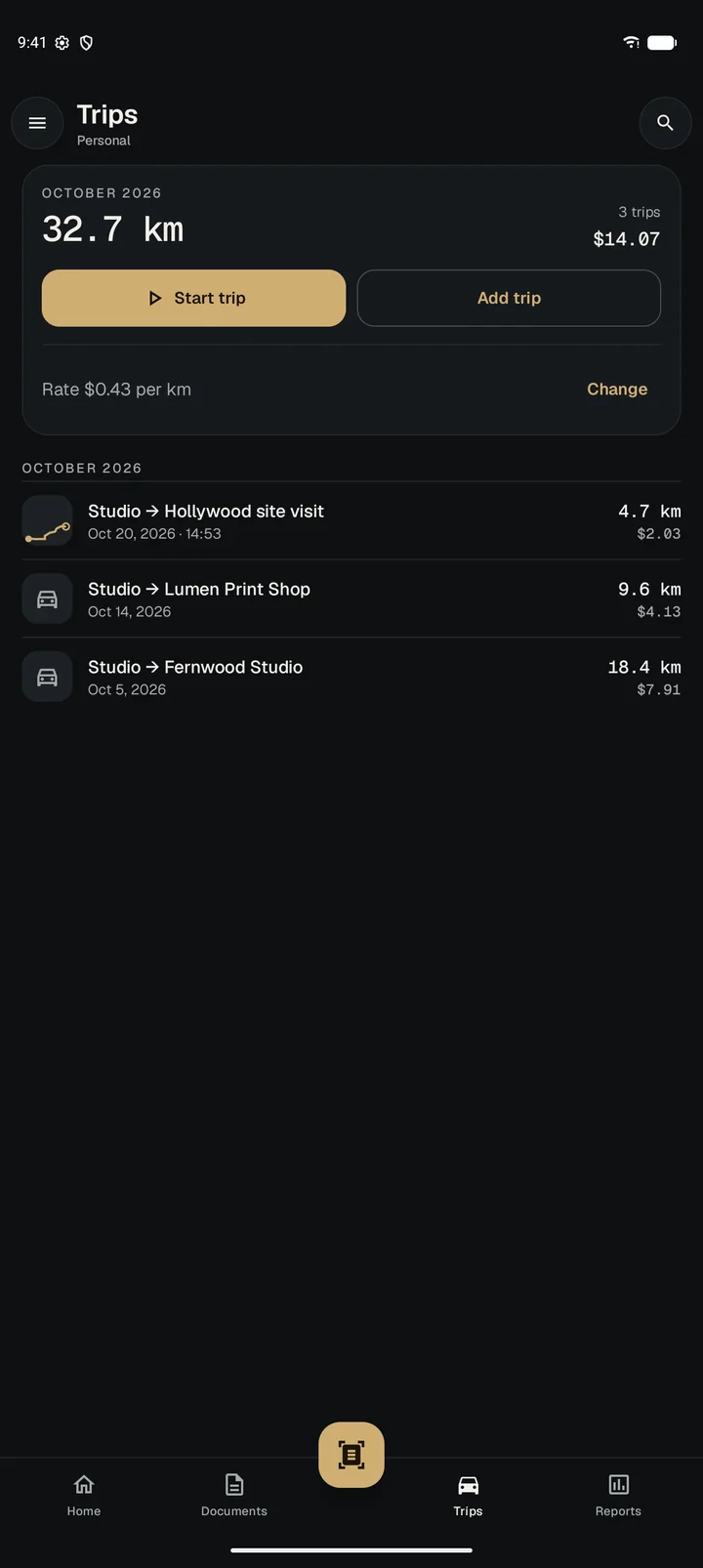
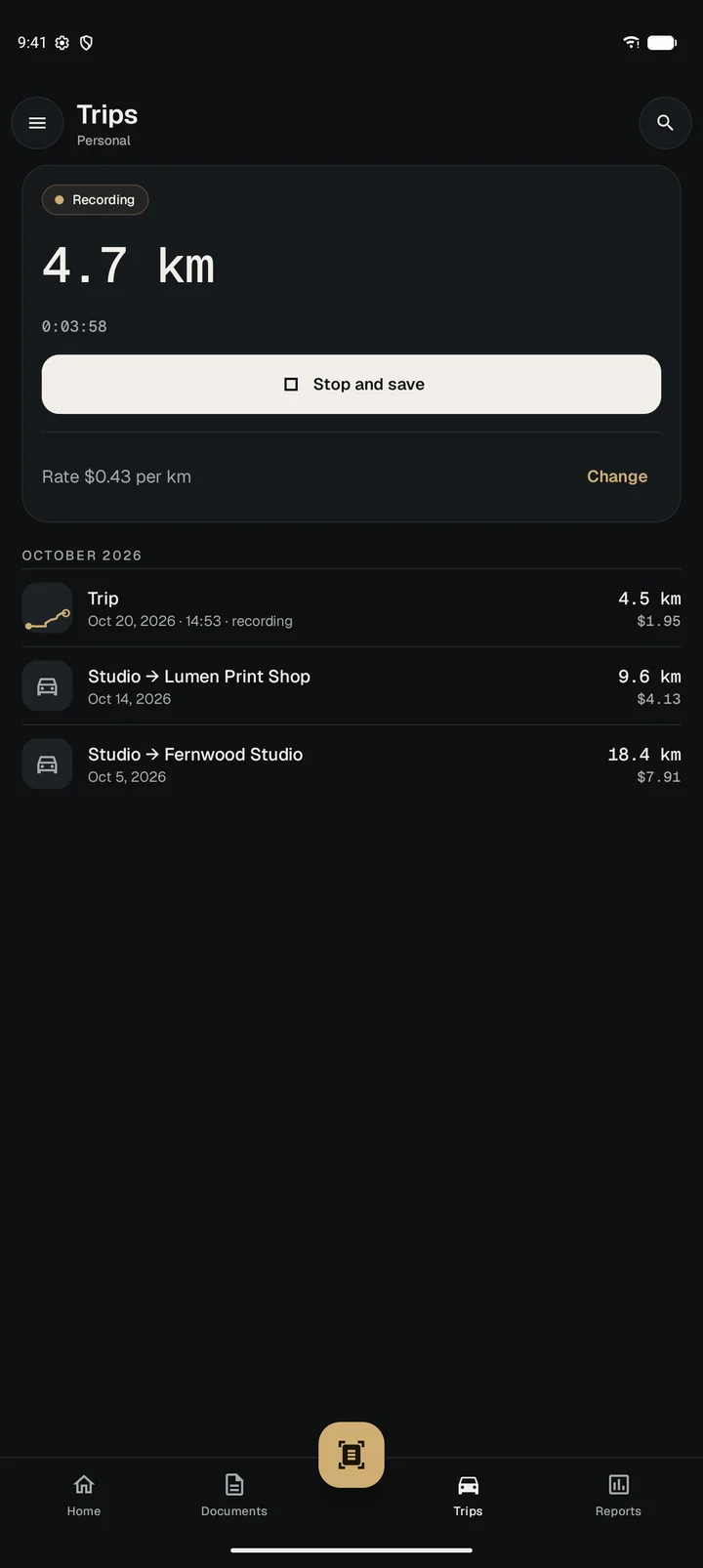
- Expense report, profit & loss, tax summary or mileage
- CSV, Excel, PDF, or CSV ready for QuickBooks and Xero
- Add every receipt image in one ZIP
A closer look
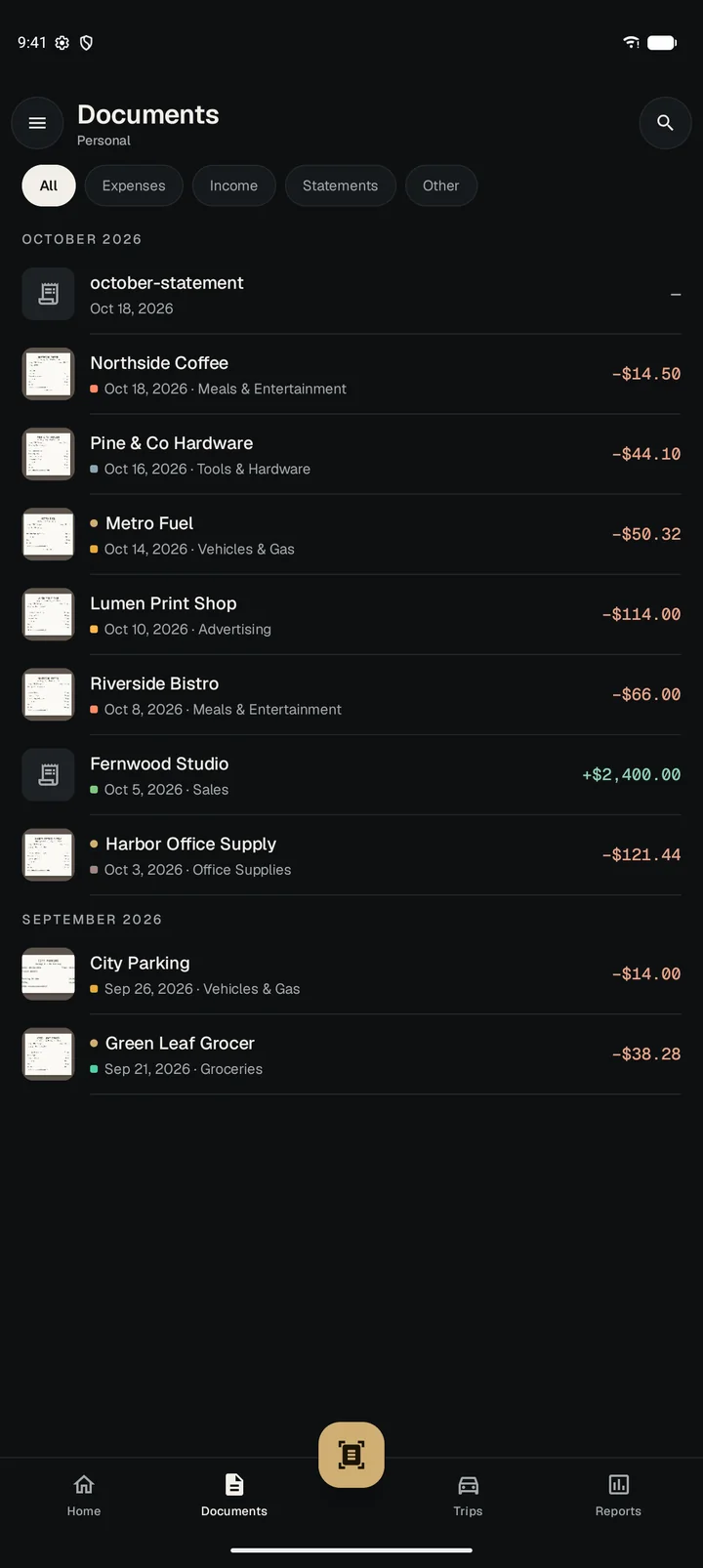
Everything in one place
Scroll through more of the app.
Also in the box
Built for freelancers and small businesses
And for anyone who has to keep receipts for expenses or taxes.
Personal and business apart
Separate profiles, each with its own receipts and currency.
Backups you control
Save a backup to any folder, protect it with a password, or schedule it. Restore everything on a new phone from that one file.
Locked with your fingerprint
Open the app with your fingerprint, face or PIN, and hide it from the recent apps screen.
Categories that fill themselves
Set rules once and new receipts from the same merchant are filed the same way.
Undo a slip
Deleted receipts wait in Trash for 30 days before they're gone.
Your region, your format
Dates, numbers and currency follow your region, so 02/10 is read the way your receipts mean it.
Privacy
Your receipts stay on your phone
Receipts hold where you shop, what you buy and the last digits of your card. ReceiptBook keeps all of it on your device.
- Account
- NoneYou never sign up or sign in.
- Where data lives
- On your phoneIn the app's private storage, which other apps can't read.
- Receipt reading
- On the deviceImages and text are never sent to a server.
- Analytics
- None
- Ads
- Google AdMobAds never see your receipts, amounts or anything else you store.
- Cloud backup
- Only if you chooseBackups go only where you save them.
Questions
Before you download
Is it really free?
Yes. ReceiptBook shows ads to stay free. Watch one short video any time to use it ad-free for an hour.
Does it need the internet?
No. Scanning, reading, search and reports all work offline. The app only goes online to show ads.
What if I change phones?
Make a backup, save it to Google Drive or a computer, and restore it on the new phone. How to move phones
Start with the receipts in your wallet
Free on Google Play. No sign-up.